
n8n specialist: van handmatige orderverwerking naar volledige automatisering
Voor onze opdrachtgever Whoon (met de webshop Purewood) hebben we een volledig geautomatiseerd orderproces gerealiseerd. Van handmatige verwerking naar een naadloze koppeling tussen WooCommerce en LogicTrade.
For our client Whoon (with the Purewood webshop), we realized an extensive Logictrade WooCommerce integration. This company works with the ERP system Logictrade for their physical stores. In Logictrade they manage all articles, inventory, sales, relations etc. In addition to physical stores, they also have a WooCommerce webshop.
Automatically inserting WooCommerce orders into Logictrade
Because Logictrade is leading in order administration, it is important that all orders from the WooCommerce webshop are also stored in Logictrade. This was done manually by the order administration department. With the increasing volume in online sales, this became increasingly intensive. Fortunately, Logictrade has an API (called WebConnect) which makes it possible to automatically insert orders.
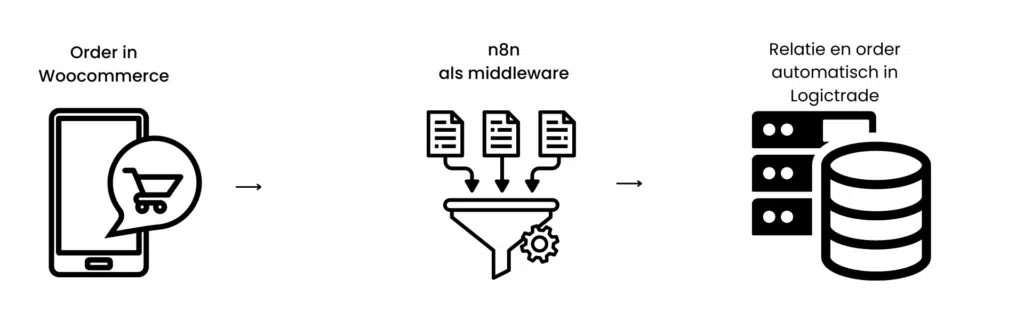
Orders data schema
Logictrade WooCommerce integration
To be able to make a connection between two packages through an API integration, you need a piece of code or software that stands between the two applications. This is called middleware. In this case, we used the powerful n8n package as middleware. This makes the connection quick to make and for every transaction you can see exactly how the data connection went.
Thanks to the integration, a relation and sales order (with the correct data) is now automatically shot into Logictrade for every webshop order. That saves a tremendous amount of time!
Synchronizing article information, inventory and prices
To give customers on the webshop a good indication of delivery time, it is crucial to be able to see the stock per article. Before the Logictrade WooCommerce integration, this was unfortunately not possible. It simply took too much time to manually maintain the article information, price and stock of several thousand articles.
As a result, many articles were sold that were not actually in stock. These articles sometimes had a longer delivery time than the customer expected, which unfortunately led to many questions about this order and of course returns.
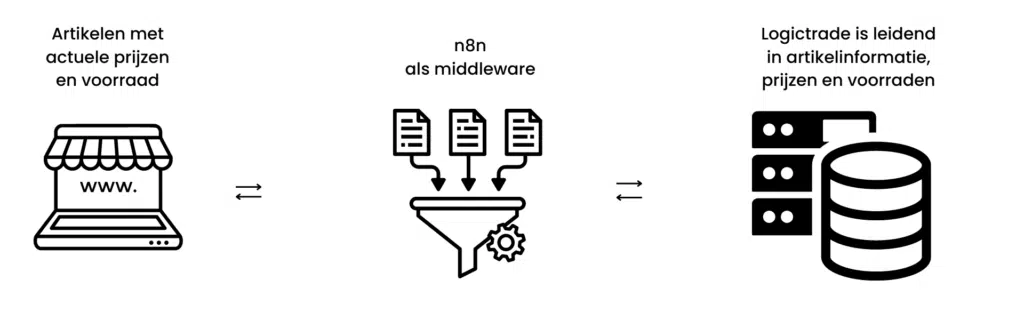
Article data schema
Logictrade WooCommerce integration
Because we had already started using n8n for automatically forwarding WooCommerce orders to Logictrade, we could easily expand this with a product integration. In Logictrade you can easily indicate which articles you want to publish on the webshop. Only these articles are picked up by the integration. This way all article data, prices and inventory remain synchronized with Logictrade!
Now customers on the webshop can see exactly what the stock is of the article they want to buy.
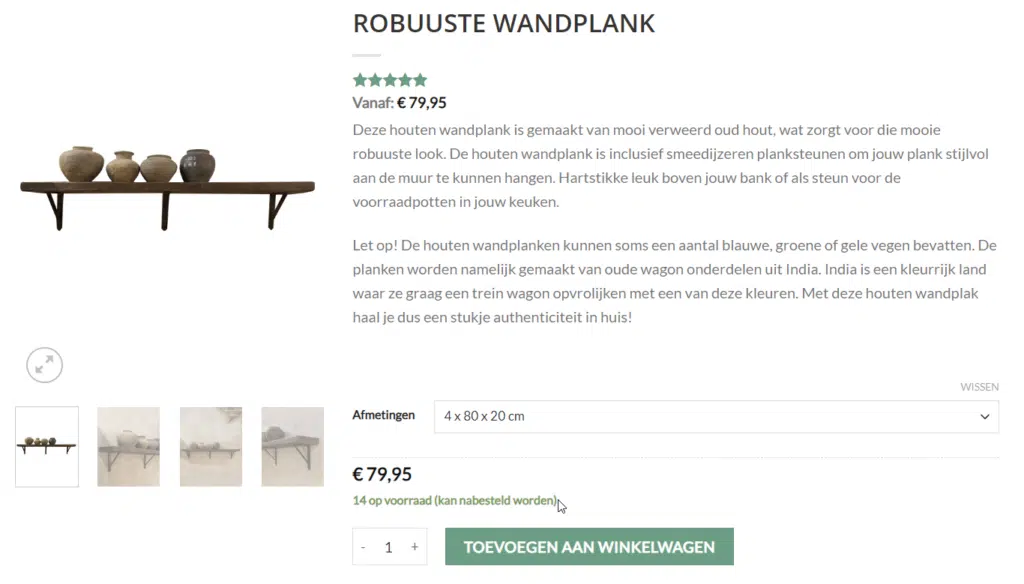
Purewood website screenshot
Do you also use Logictrade, WooCommerce or another webshop or ERP system? And are you curious whether this can be linked via an API integration? Contact us for more information.
Indicative Investment
What determines the investment?
- •Number of articles to synchronize
- •Complexity of the order flow
- •Desired customizations to standard integration
- •Required error handling and monitoring
Indicative - support on hourly basis. Exact investment depends on your specific situation.